< class="filterable-wrapper">
  1. Item Name : Eduex - Education & Kindergarten PHP Template
  2. Created: 30 october, 2025
  3. Item Version : v 1.0.0
  4. Author : MHQuickDEV
image

Introduction

Eduex - Education & Kindergarten PHP Template

For any support please don't hesitate to contact us at mahmudul00770@gmail.com . We provide dedicated support for our customers.

We would like to thank you for choosing Eduex - Education & Kindergarten PHP Template

Getting started

Eduex is a modern Responsive Education & Kindergarten PHP template built with Bootstrap 5.

Template Features

  • PHP-based Template Structure
  • HTML5 & CSS3
  • Bootstrap v5.x
  • Font Awesome Icons
  • SCSS for Styling
  • jQuery
  • 03 Homepage Variations
  • Fully Responsive Design
  • Pixel Perfect Design
  • Clean & Modular Code
  • Easy to Customize
  • Partial Files for Easy Maintenance
  • W3C Validated Codes

What's Included

After purchasing Eduex template on themeforest.net with your Envato account, go to your Download page. You can choose to download Eduex template package which contains the following files:

The contents of the template package downloaded from ThemeForest

  • PHP Files - All PHP template files (index.php, about.php, courses.php, etc.) that you can edit and use for your business.
  • partials/ - Reusable PHP partials folder containing head.php, header.php, footer.php, script.php, and more.
  • assets/ - Contains all CSS, JavaScript, images, and SCSS source files.
  • documentation/ - This folder contains what you are reading now :)

Template Structures

Articles

PHP Structure

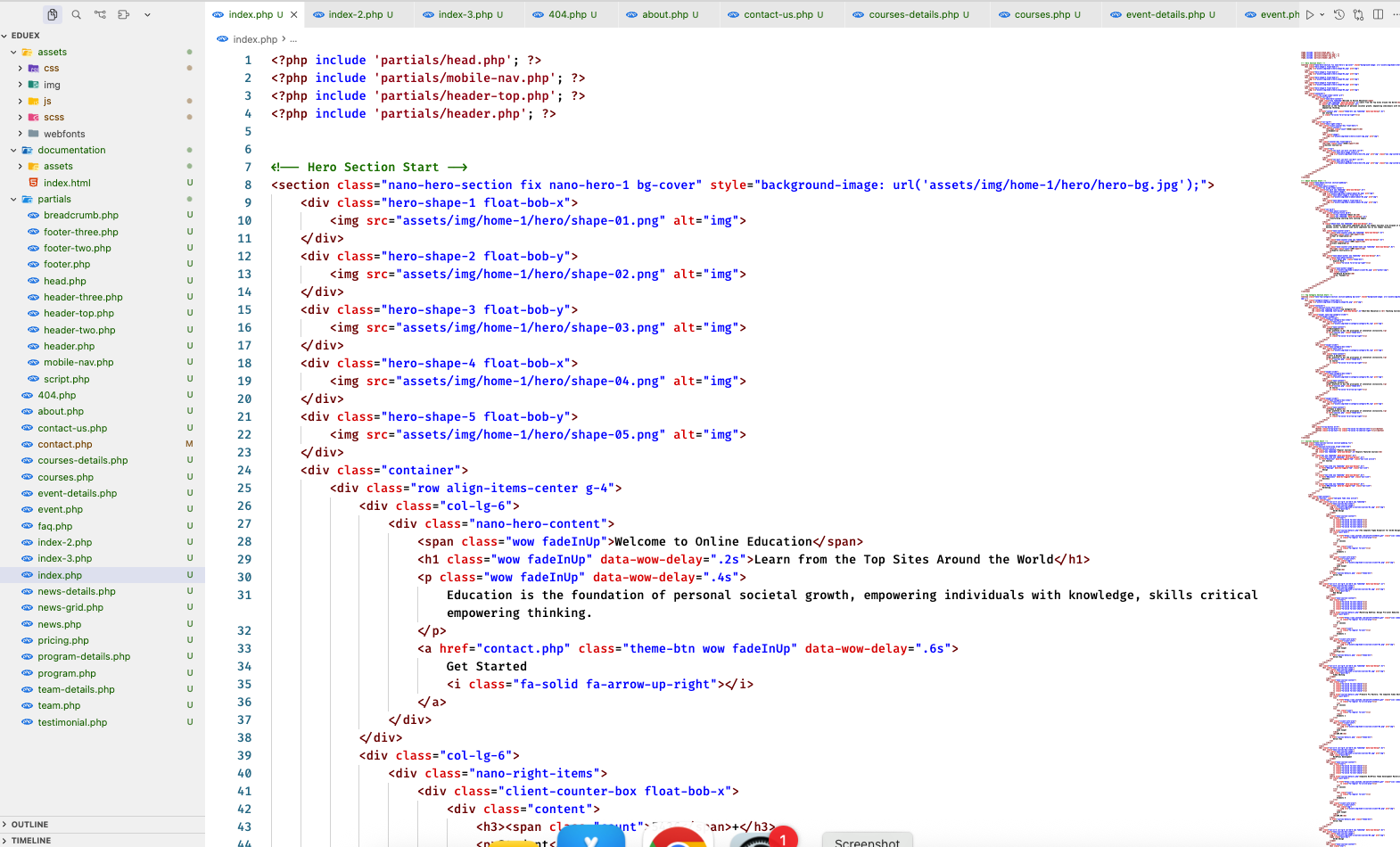
This template uses a modular PHP structure with reusable partials. Each page includes separate partials for the header, footer, navigation, and scripts. This makes the code more maintainable and easier to customize. The general template structure is consistent throughout all pages. Here is the general structure of a PHP page:

<?php include 'partials/head.php'; ?>
<?php include 'partials/mobile-nav.php'; ?>
<?php include 'partials/header-top.php'; ?>
<?php include 'partials/header.php'; ?>

<!-- Page Content Here -->

<?php include 'partials/footer.php'; ?>
<?php include 'partials/script.php'; ?>
3.1.1
PHP Template Structure

CSS Files and Structure

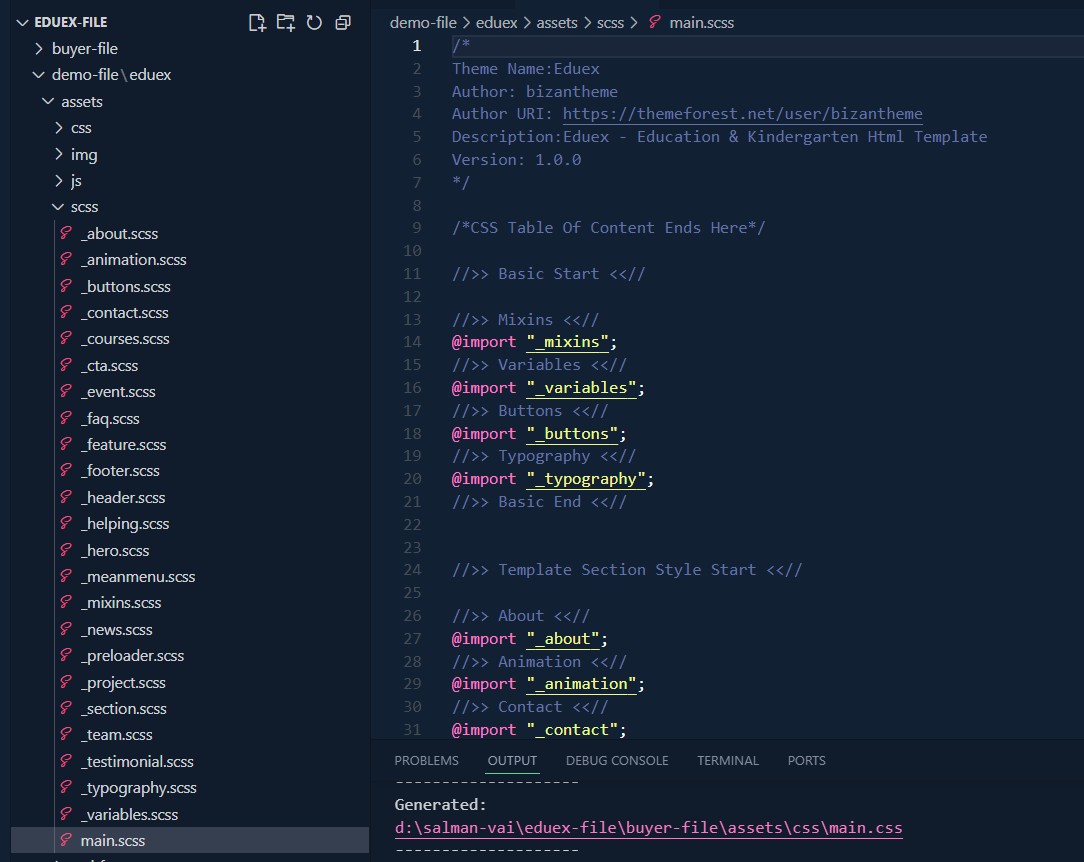
We are using SCSS for development which compiles to main.css. All styles are organized in modular SCSS files. CSS file structure is as follows:

  • assets/css/main.css - Main compiled CSS file (compiled from SCSS)
  • assets/css/bootstrap.min.css - Bootstrap 5 framework
  • assets/css/all.min.css - Font Awesome icons
  • assets/css/animate.css - Animation library
  • assets/css/swiper-bundle.min.css - Swiper slider
  • assets/css/magnific-popup.css - Lightbox popup
  • assets/css/meanmenu.css - Mobile menu
  • assets/css/nice-select.css - Select dropdown styling
  • assets/scss/ - Source SCSS files (_variables.scss, _header.scss, _footer.scss, etc.)
3.1.1
CSS Files and Structure

JavaScript Files

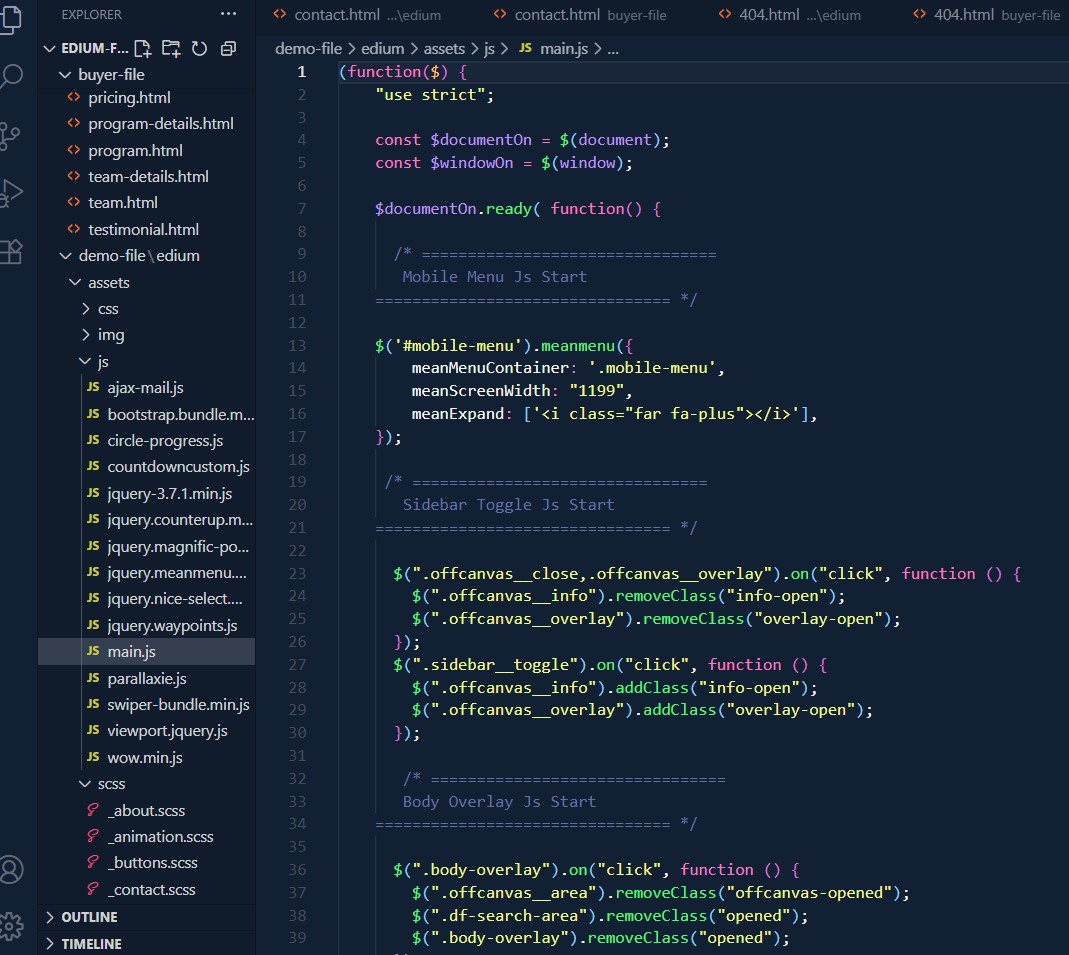
The template uses jQuery library along with various plugins. Main JavaScript files are loaded via partials/script.php. Our file structure is as follows:

  • assets/js/jquery-3.7.1.min.js - jQuery library
  • assets/js/bootstrap.bundle.min.js - Bootstrap JS
  • assets/js/main.js - Main custom JavaScript file
  • assets/js/swiper-bundle.min.js - Swiper slider
  • assets/js/jquery.magnific-popup.min.js - Lightbox popup
  • assets/js/jquery.meanmenu.min.js - Mobile menu
  • assets/js/jquery.nice-select.min.js - Select dropdown
  • assets/js/wow.min.js - Scroll animations
  • assets/js/parallaxie.js - Parallax effects
  • assets/js/jquery.counterup.min.js - Counter animations
  • assets/js/viewport.jquery.js - Viewport utilities
3.1.1
JavaScript Files

PHP Partials Structure

The template uses PHP partials for modularity and code reusability. All partial files are located in the partials/ folder. Here are the main partial files:

  • partials/head.php - Contains <head> section with meta tags, title, and all CSS links
  • partials/header.php - Main header/navigation structure
  • partials/header-top.php - Top bar section (if used)
  • partials/mobile-nav.php - Mobile navigation menu
  • partials/footer.php - Footer section with widgets and copyright
  • partials/script.php - All JavaScript file includes and closing tags
  • partials/breadcrumb.php - Breadcrumb navigation component
  • partials/header-two.php - Alternative header style
  • partials/header-three.php - Alternative header style 2
  • partials/footer-two.php - Alternative footer style
  • partials/footer-three.php - Alternative footer style 2

Change Contents

Changing Images

To change any images on the website:

  1. Carefully collect the source name of the image (i.e. hero-01.png)
  2. Navigate to the assets/img/ folder in your project.
  3. Find the particular image file in the relevant subfolder (home-1, home-2, inner, etc.).
  4. Replace the file with your image.
  5. Make sure that the file name does not change. The file name should be exactly the same.

Example: Suppose you want to change the following image file:

4.1.1

You have to do the following to change this image with your own image:

  1. Open the file called images.
  2. Find the particular image file called banner-img.jpg
  3. Replace the file with your image
  4. Make sure that the file name does not change.

Changing Colors

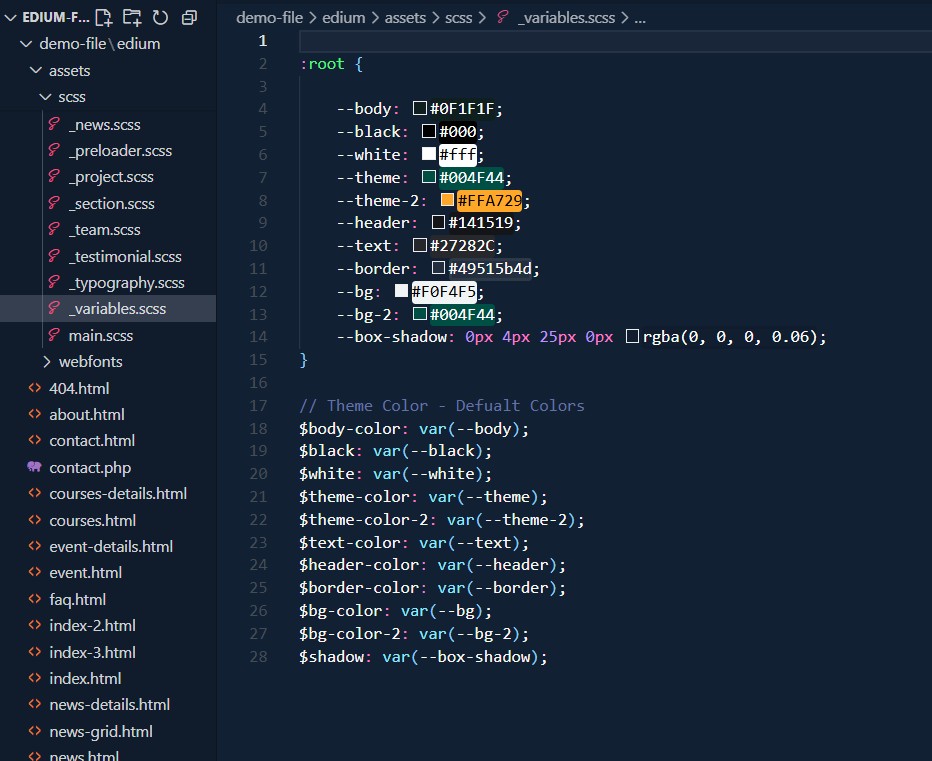
This template uses SCSS for styling. Color variables are defined at the root level for easy customization. You can change colors in two ways:

Method 1: Changing default template colors via SCSS

  1. Open the _variables.scss file from assets > scss > _variables.scss with a text editor.
  2. Change the values of the color variables (theme-color, theme-color-2, etc.).
  3. Compile your SCSS to CSS using a compiler or task runner.
  4. Save and refresh your site.

Method 2: Changing colors via CSS variables

  1. Open the _variables.scss file from assets > scss > _variables.scss
  2. Modify the CSS custom properties in the :root selector (--theme, --theme-2, --body, etc.).
  3. These changes will be reflected immediately after recompiling SCSS.
4.1.1

Change Log

The following is a list of changes made to the template:

Version 2.1

  1. - Added: New Home Page 5 (Udemy Style).
  2. - Improved: Speed.

Version 2.0

  1. - Added: New Home Page 4 (Video Learning).
  2. - Improved: Support Page.

Version 1.1

  1. - Added: New Login Page.
  2. -Added: New Register Page.
  3. -Added: New Reset Password Page.
  4. -Added: New Support Page.
  5. -Added: New Terms of Service Page.
  6. -Fixed: Minor Responsive Issues.